
What Invovibe Does
Everything the platform covers, end to end.
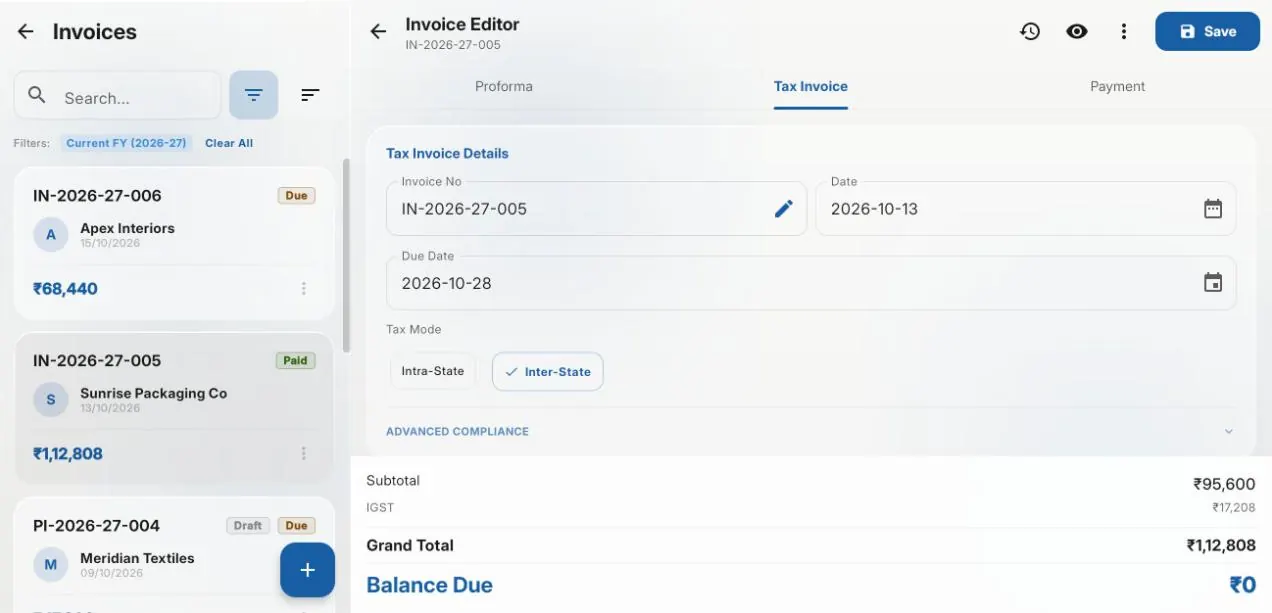
Invoicing
Tax invoices, proforma invoices, amendments, debit and credit notes.
- check_circleNumbering that stays continuous across a financial year
- check_circleTax computed from HSN and place of supply, not from a rate someone typed
- check_circlePayments, TDS withheld, advances and credit settling one balance
- check_circleCredit and debit notes linked to the invoice they amend
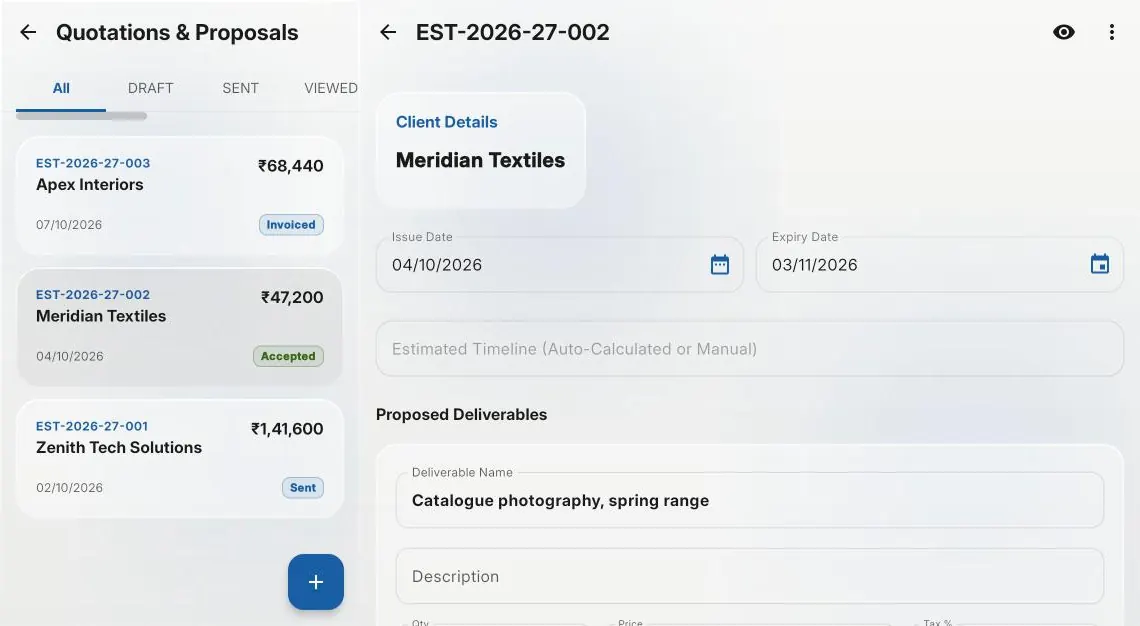
Quotations
Send, revise and convert without re-entering anything.
- check_circleEach change logged with who made it and when
- check_circleAccepted into a new project, or added to one already running
- check_circleAcceptance recorded against the quotation
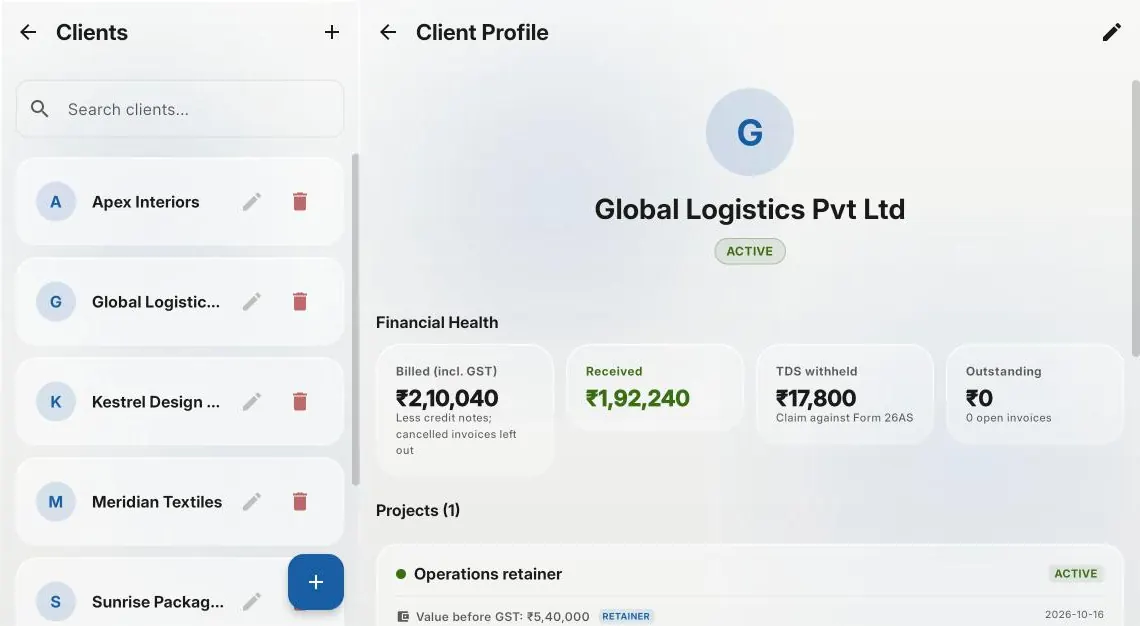
Clients
Client records with GSTINs, branches and codes, and an account of what each one owes.
- check_circleThe GSTIN and state on the record decide the place of supply and the return table
- check_circleSeveral registrations for one client, each invoiced on its own GSTIN
- check_circleHSN and SAC codes mapped to a client and offered first on their invoices
- check_circleBilled, received, TDS withheld, outstanding and overdue on one page
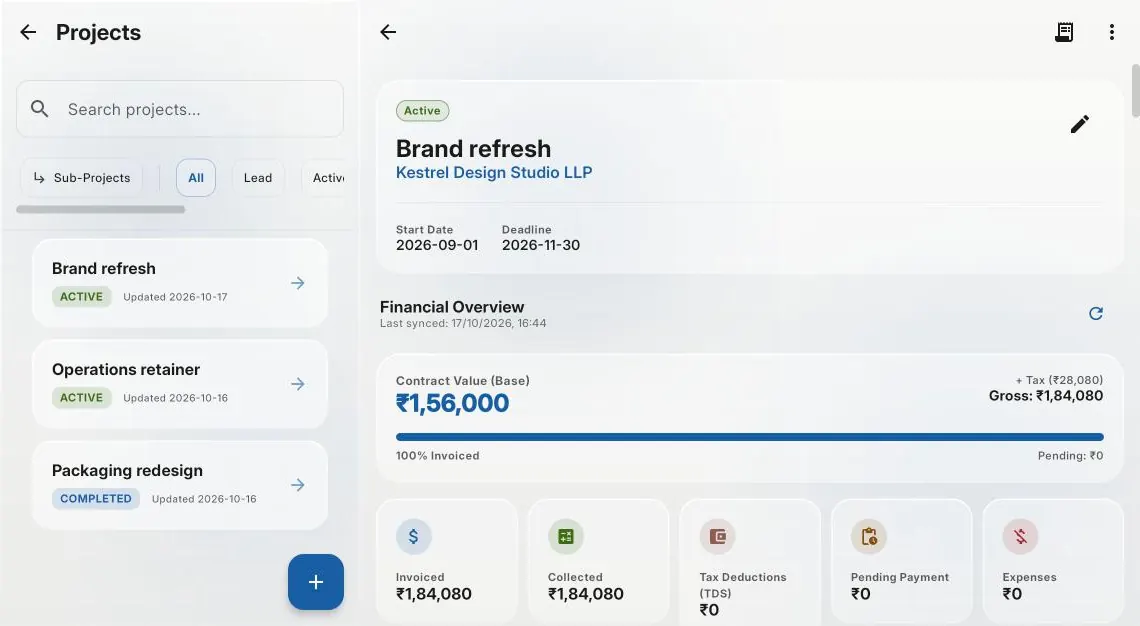
Projects
Fixed-price and retainer work, and the team that does it.
- check_circleMilestone billing against agreed values
- check_circleProfitability per project, not just per invoice
- check_circleExpenses and invoices tied to the engagement they belong to
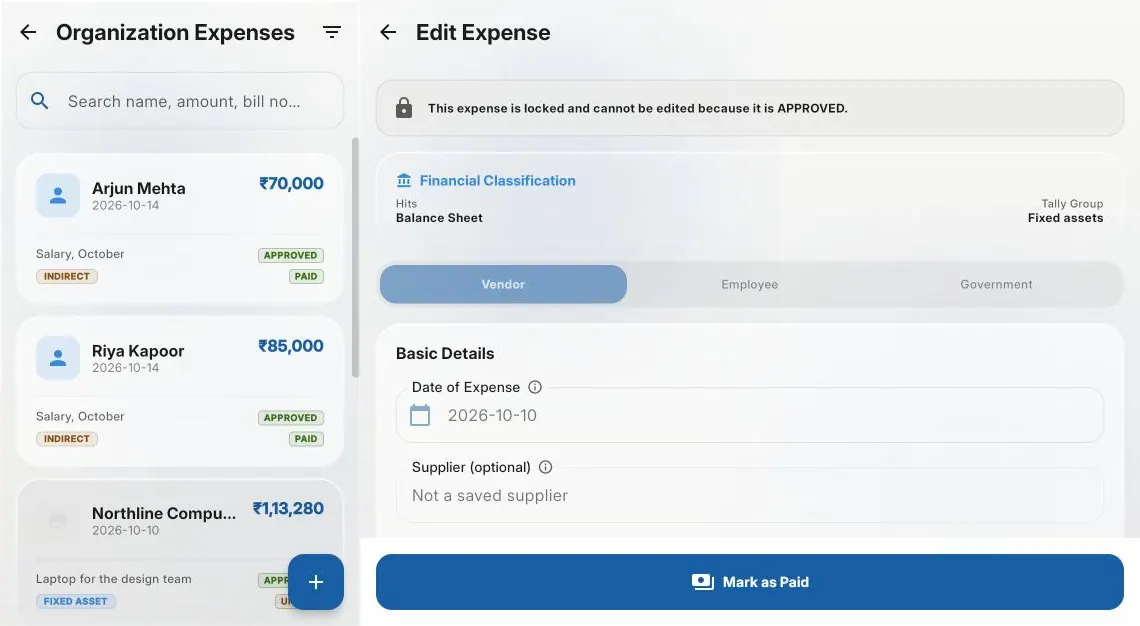
Expenses
Approval chains, reimbursements and correct classification.
- check_circleSubmitted, manager, finance, paid — the chain is recorded
- check_circleCapital versus revenue classification on every entry
- check_circleA link to the receipt kept on the expense it justifies
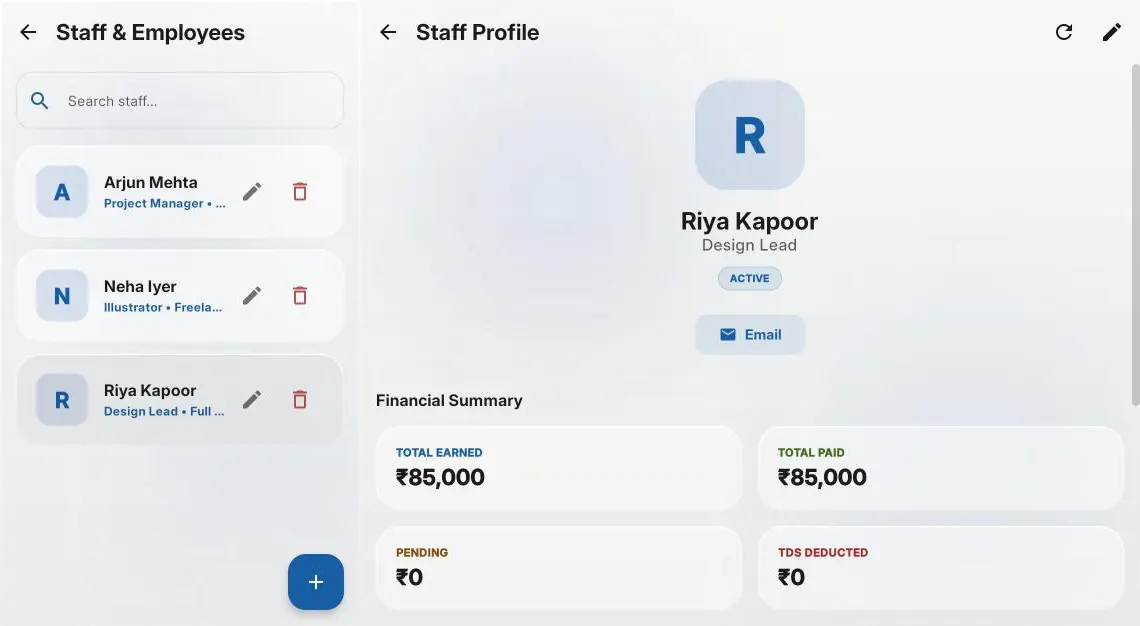
Employees
Records, earnings and payment history.
- check_circleEarnings and payments in one history
- check_circleReimbursements and issued equipment kept out of earnings
Bank reconciliation
Import a statement and match it against what you already hold.
- check_circleStatement rows matched to invoices and expenses
- check_circleNarration matching that proposes rather than assumes
- check_circleWhat is genuinely unexplained, separated from what is merely unmatched
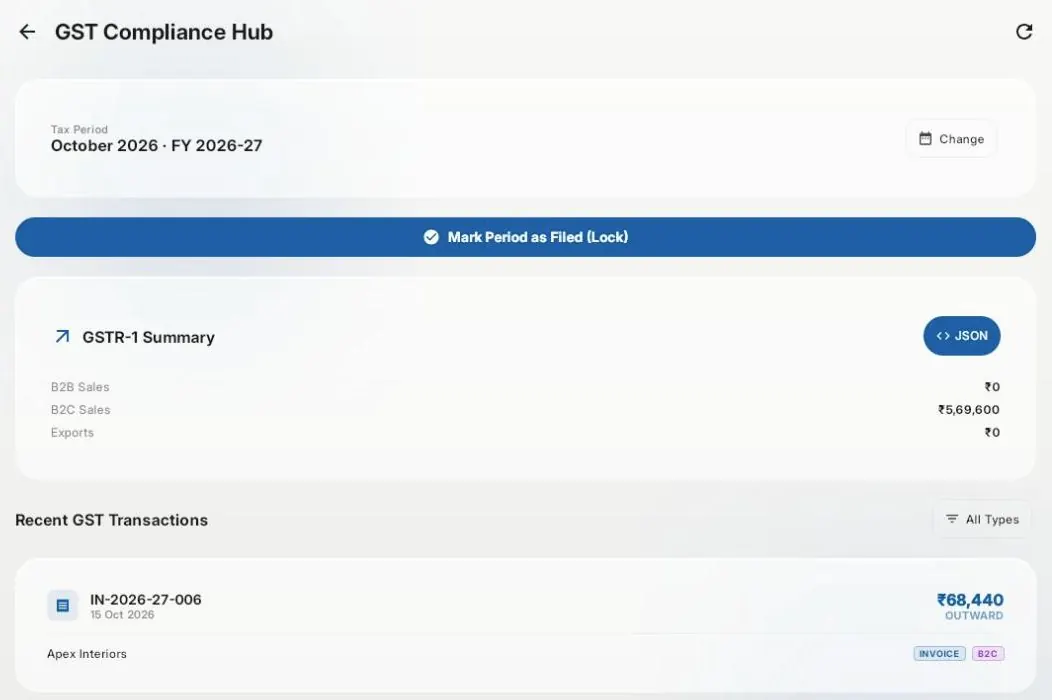
GST
Outward supply data assembled for GSTR-1 from the invoices themselves.
- check_circleB2B, B2C, exports and credit notes, section by section
- check_circleMonthly and QRMP filers, including the IFF months
- check_circleAssembled from invoices already raised, not re-keyed at quarter end
TDS
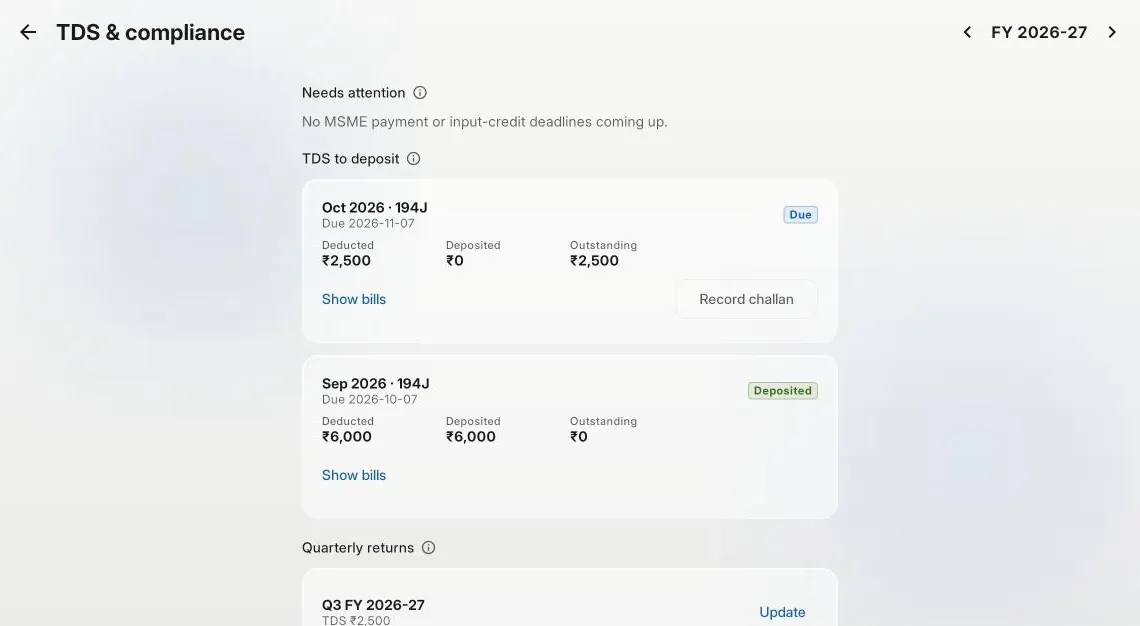
TDS you deduct, deposited and reported on time; TDS deducted from you, tracked to Form 26AS.
- check_circleEach month's TDS with its deposit date, from the bills and pay that deducted it
- check_circleChallans recorded against the month and section they pay for
- check_circleForm 140 and Form 131 (formerly 26Q and 16A) dates for every quarter, and when each was done
- check_circleWhat clients withheld, by quarter and by client, ticked off against Form 26AS
Reports
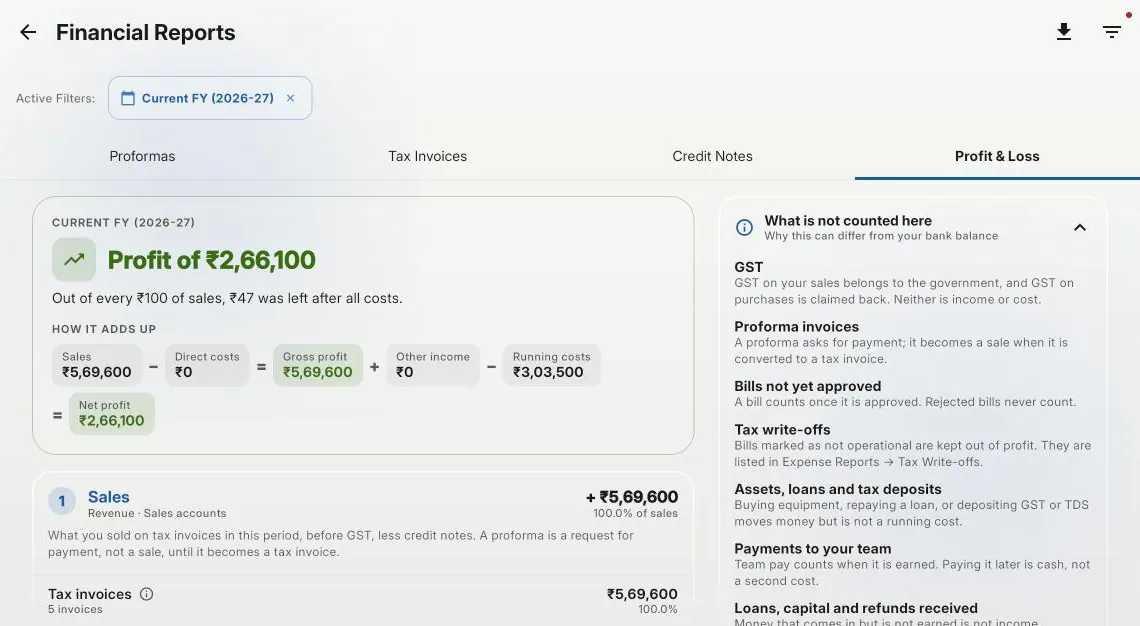
Profit and loss, invoice and expense reports, and the dashboard, built from the records themselves.
- check_circleA profit and loss that shows how it adds up and what it leaves out
- check_circleSales counted before GST, so the figure is one to plan against
- check_circleInvoice and expense reports, exported to Excel or PDF
- check_circleProfit, cash, receivables and what is ready to bill on one screen
People and access
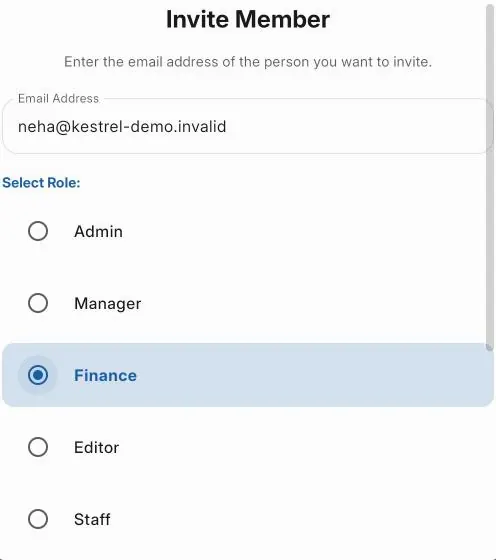
Users, roles and invitations: who signs in, and what each of them can see and do.
- check_circleOwner, Admin, Editor, Manager, Finance, Staff, Viewer and Accountant
- check_circlePeople invited by email with a role, and removed without losing their history
- check_circleStaff see the documents they raised, not everybody else's
- check_circleAn assistant that answers how-to questions and finds your own records
Built for GST, not adapted to it
Built for GST
GST bolted on
Start free. No card required.
1 project, 5 clients and 3 invoices a month.